# Plugin Installation
When purchasing a plug-in in the BeikeShop backend, you need to fill in the Token.
# Backstage access
First, log in to the backend, then find the ** Plugin Market **, click to enter, and click on ** Market Token ** in the upper right corner.
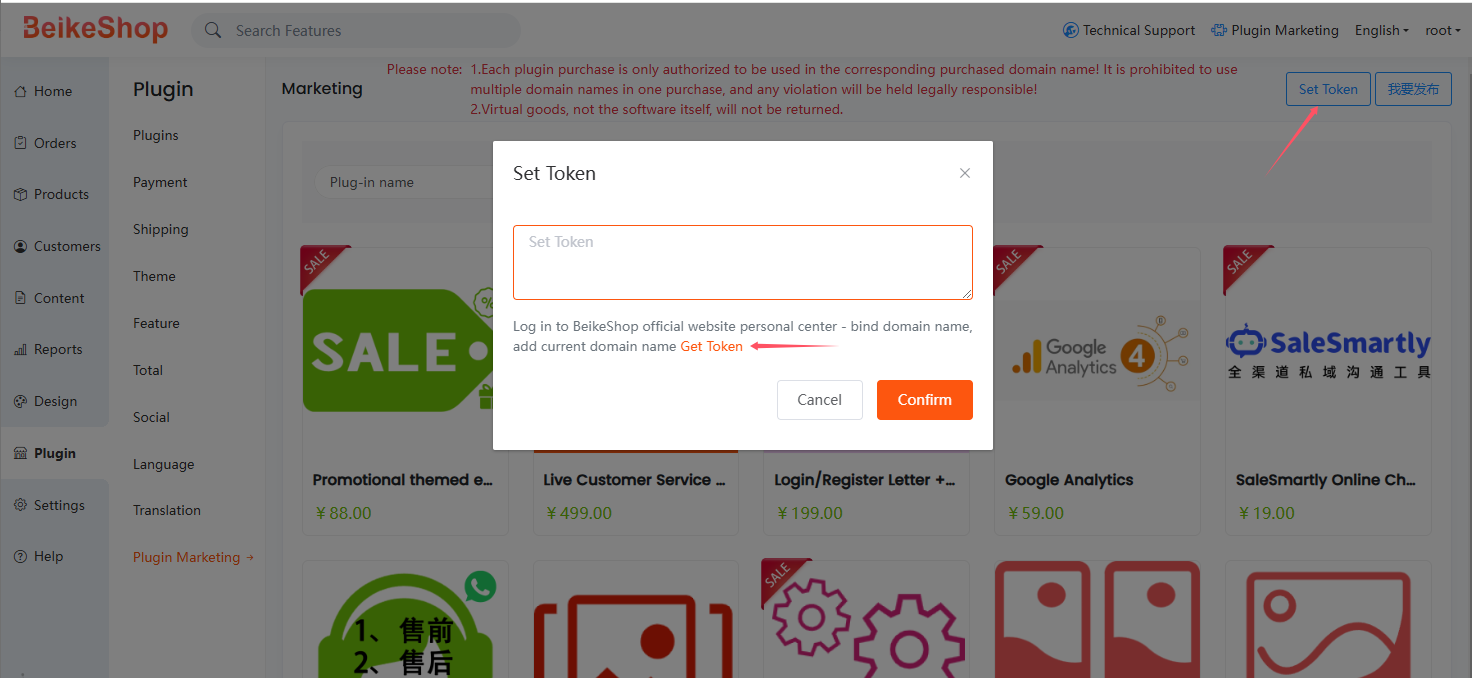
After clicking, you will be redirected to the https://beikeshop.com/account (opens new window) login page. If you have an account, log in directly. If you don’t have an account, just register one.
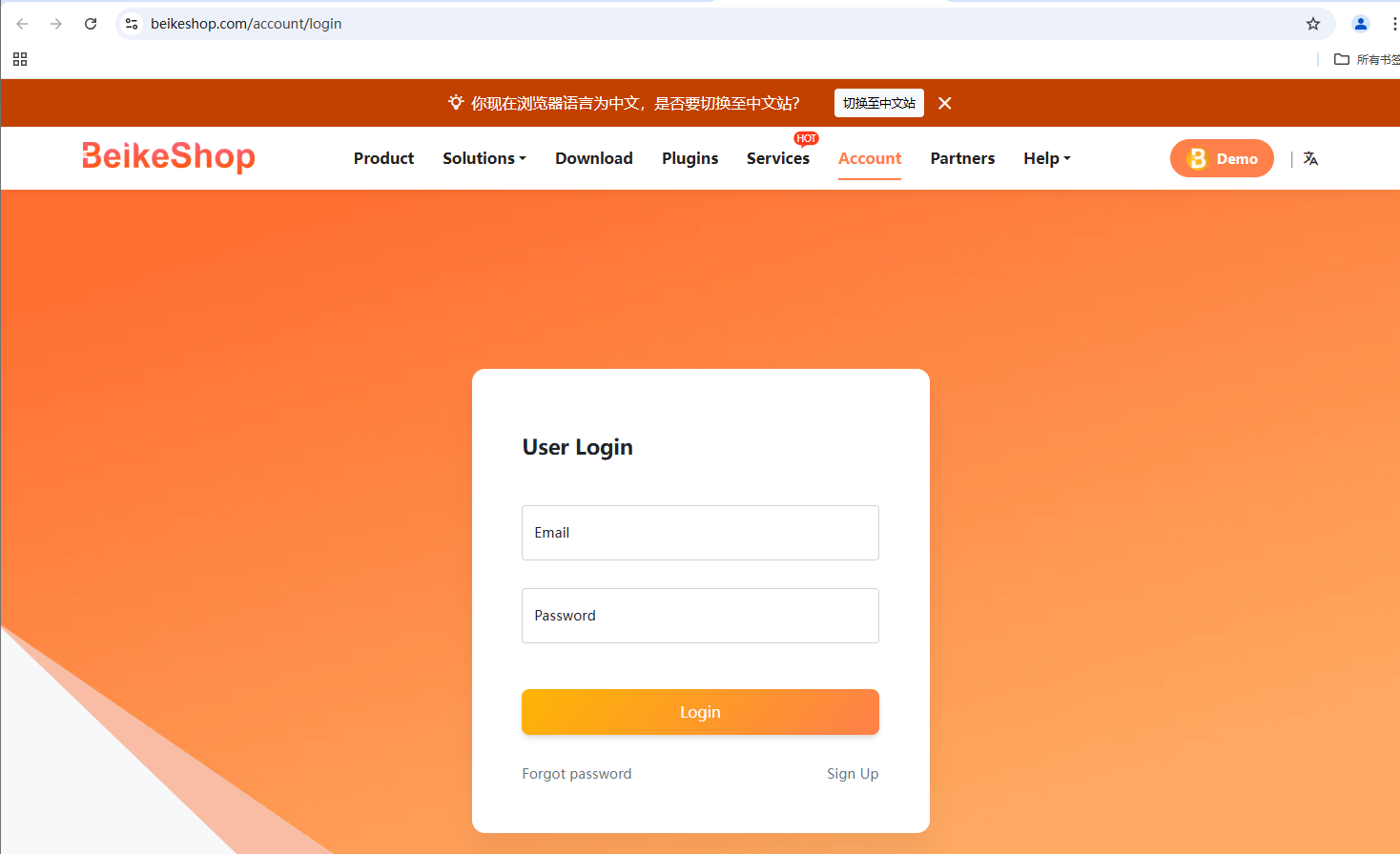
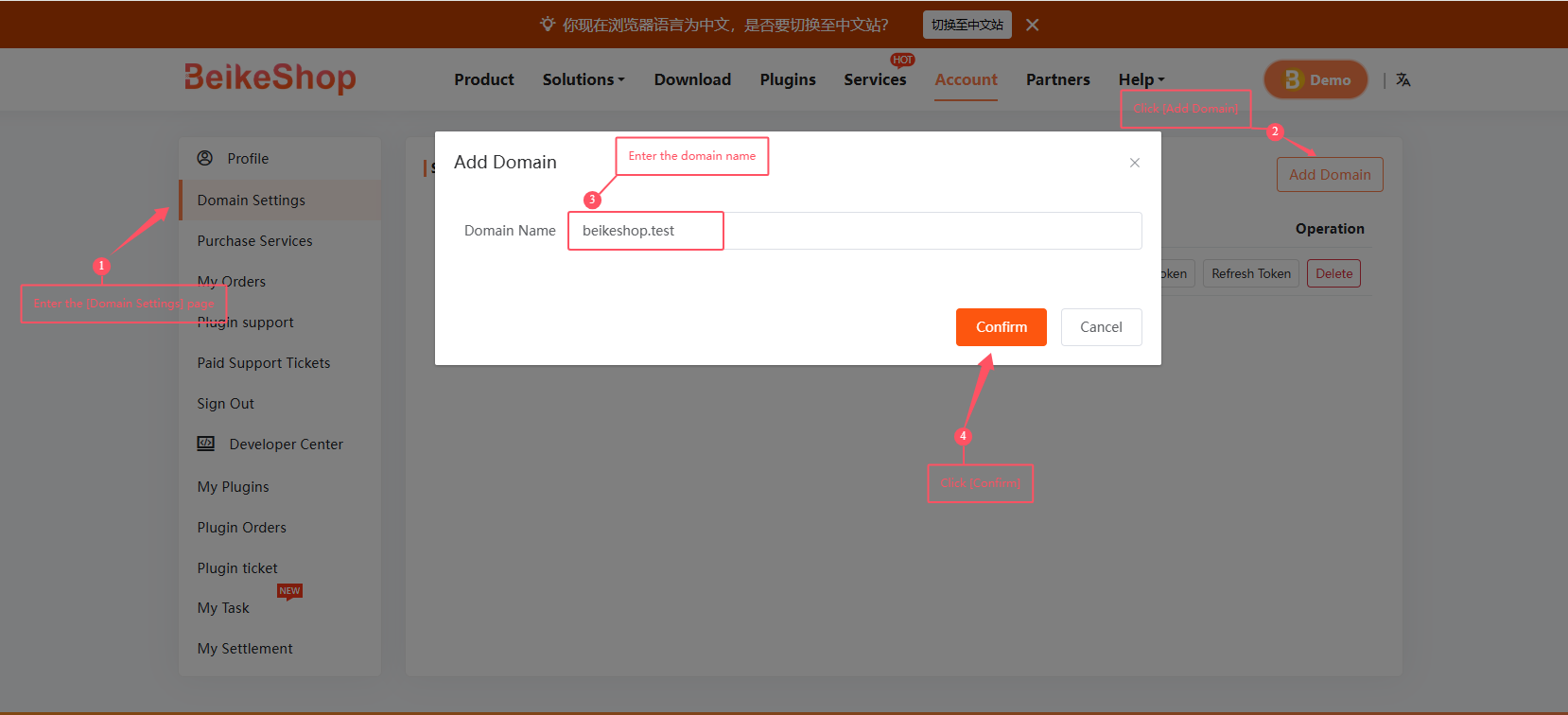
Log in to the user center, click Set domain name to go to the inner page, click Add domain name in the upper right corner, enter your website domain name, and click OK to save.
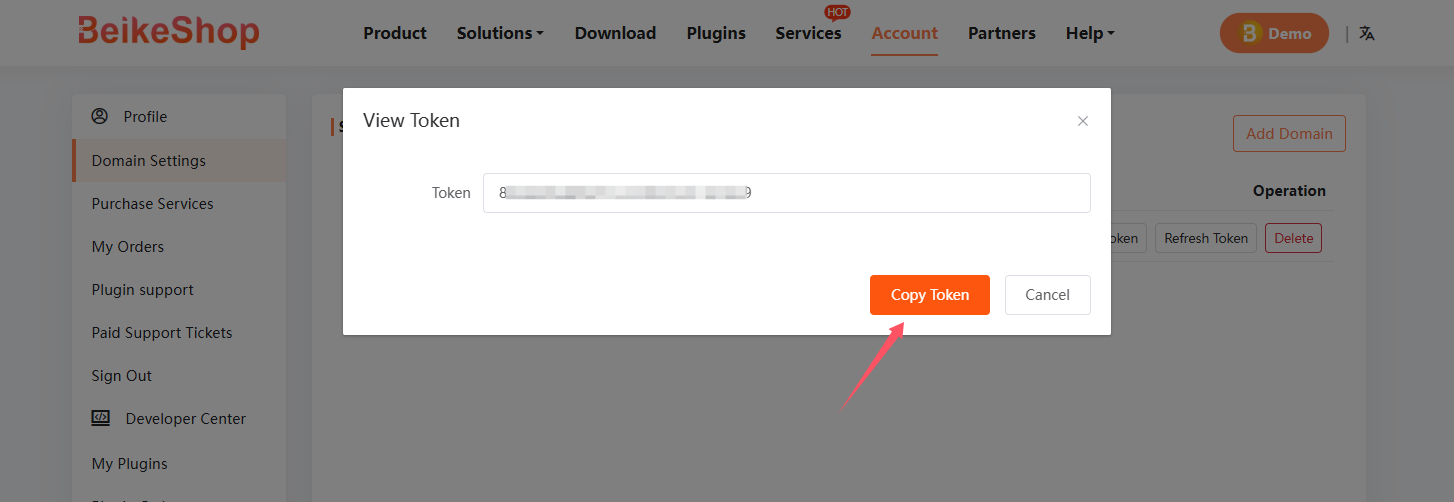
After saving, there are several buttons. Click View Token
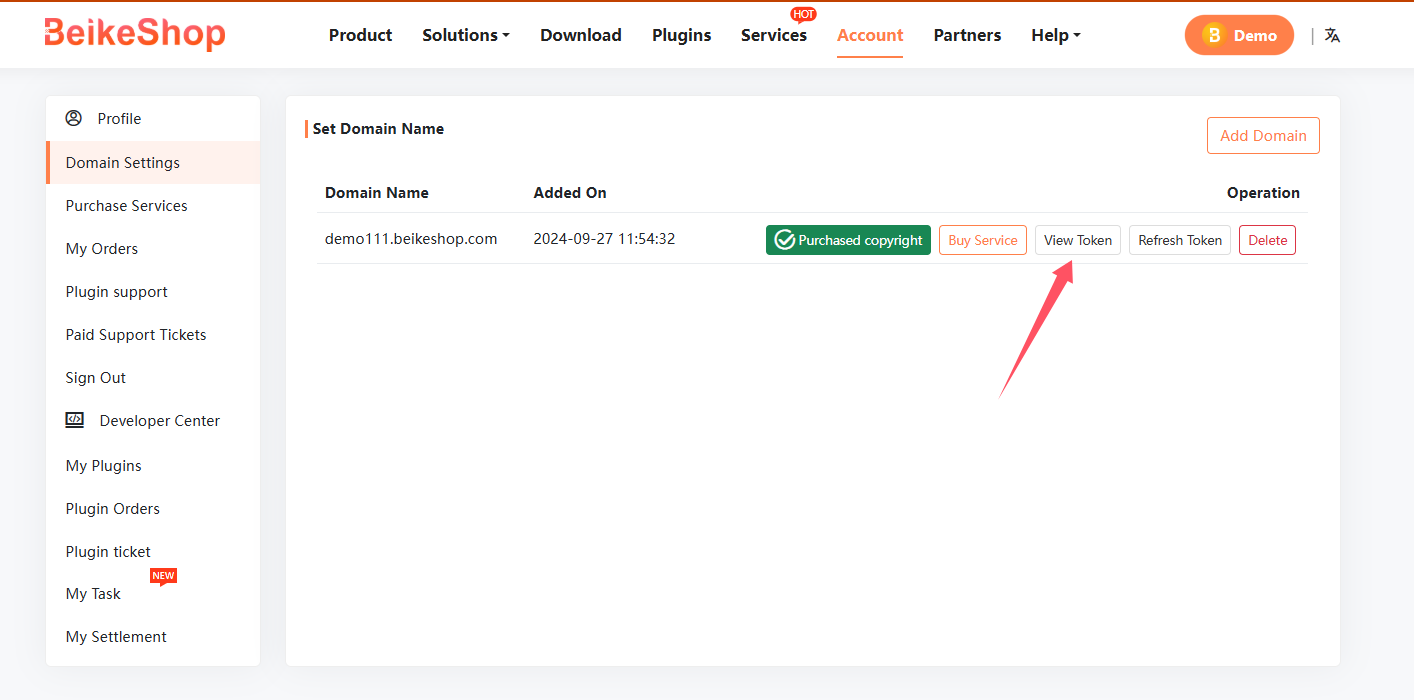
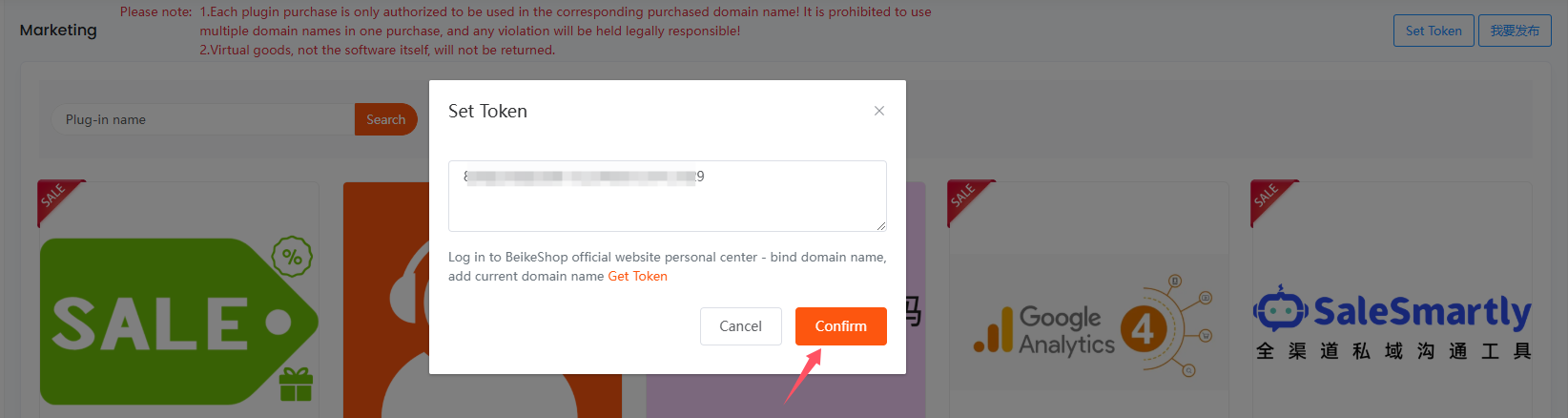
Copy the Token to your website backend
Click OK
After the settings are completed, click the required plug-in to enter the inner page and select the payment method to purchase.
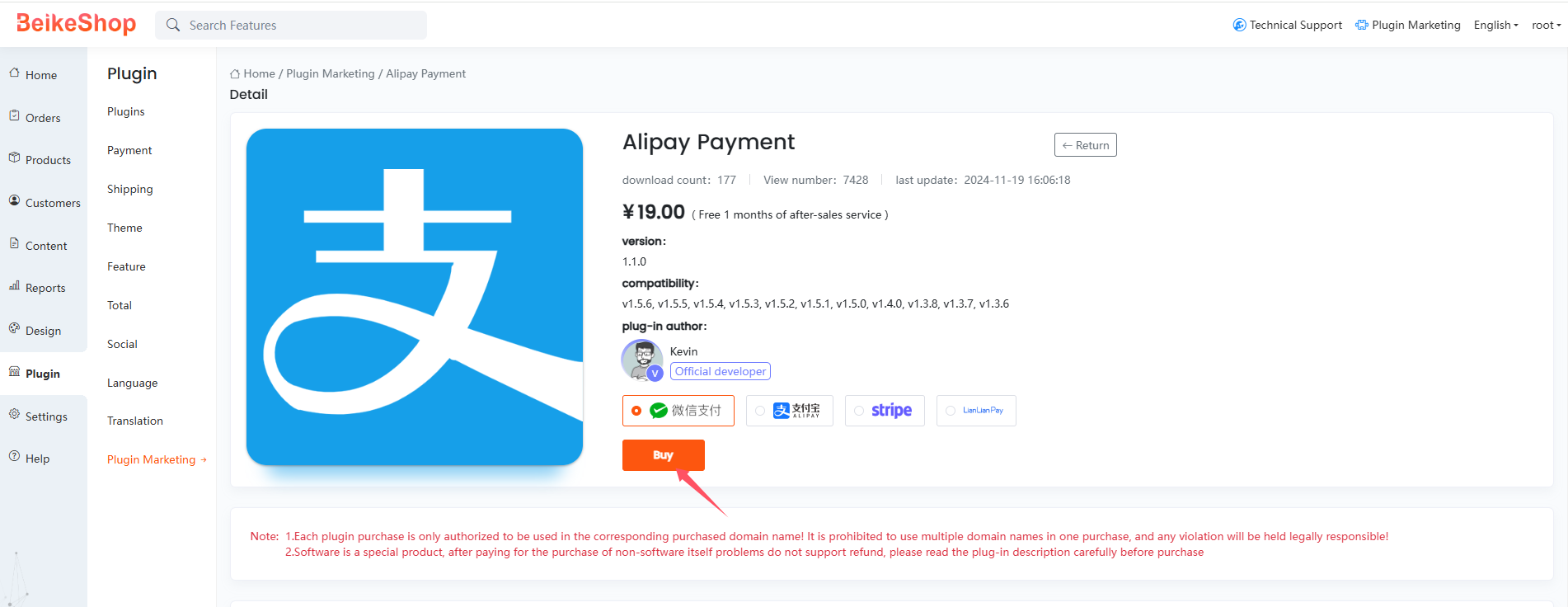
Note: A Token is usually bound to a domain. Please ensure that the domain you enter is consistent with the actual access domain.
# Common Error Handling
- Token Not Working: Please check if the domain bound in the official website user center is completely consistent with the current access domain.
- Unable to Generate Token: Please confirm whether you have obtained a License or purchased related plugins through official channels, and check the domain resolution status.