# How to Obtain a Market Token?
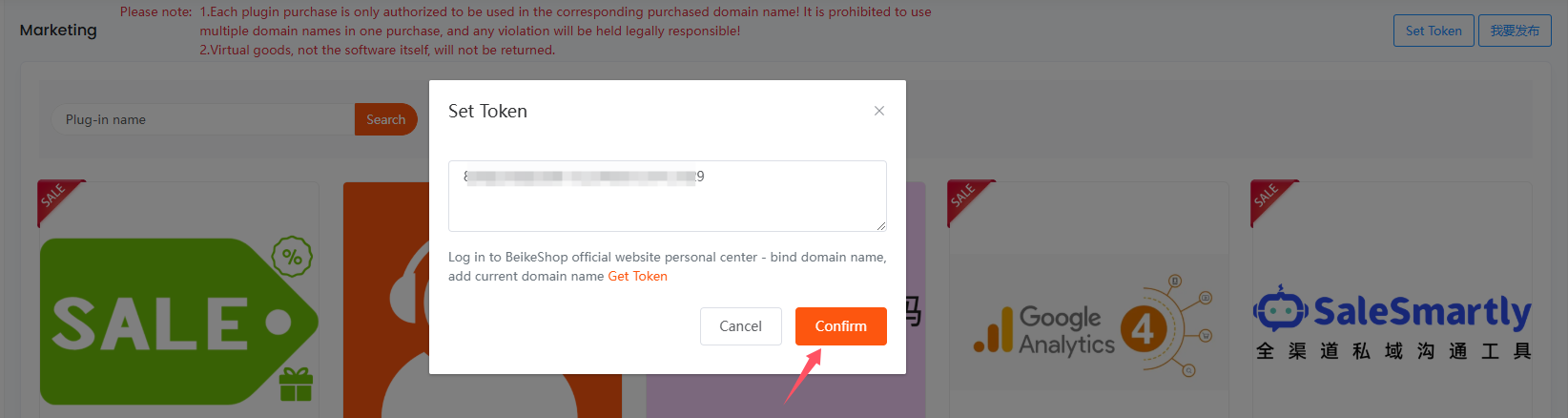
First, go to the backend of your website, then find the Plugin Market and click to enter it. Click Market Token in the upper right corner.
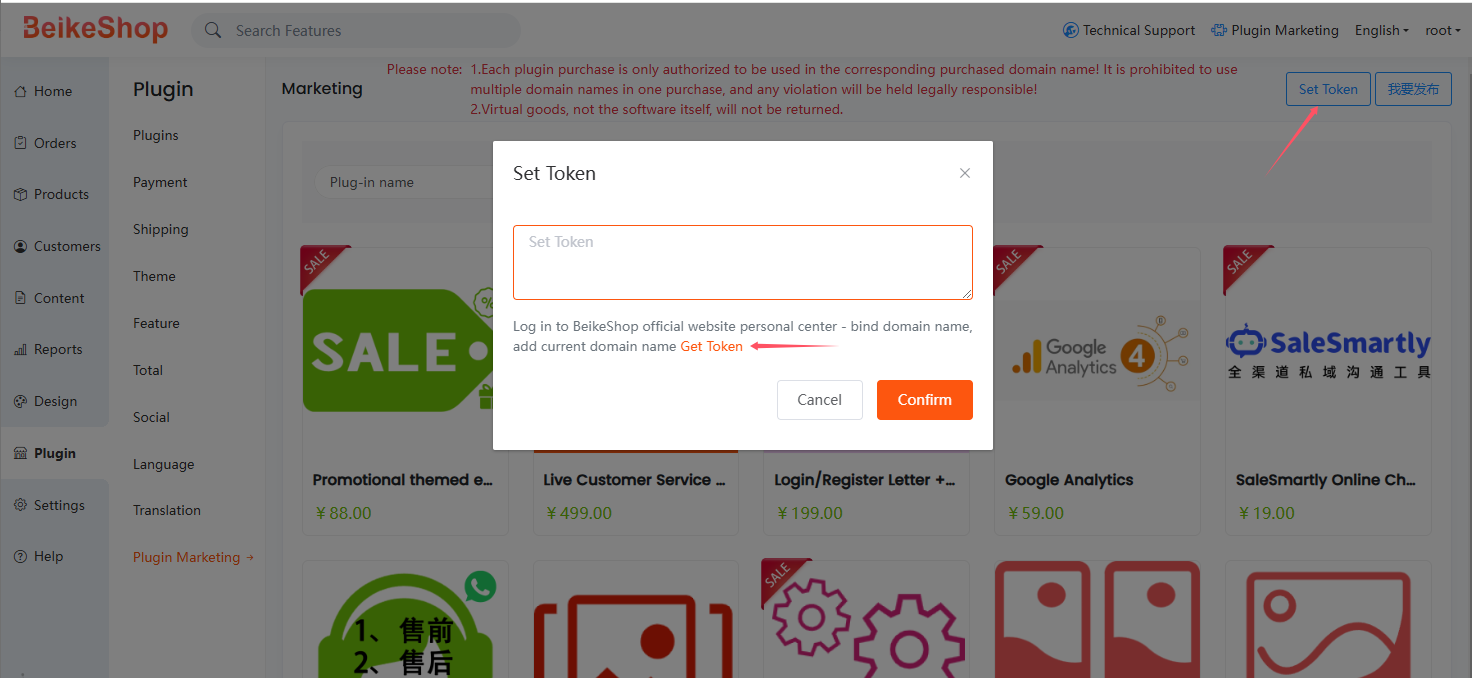
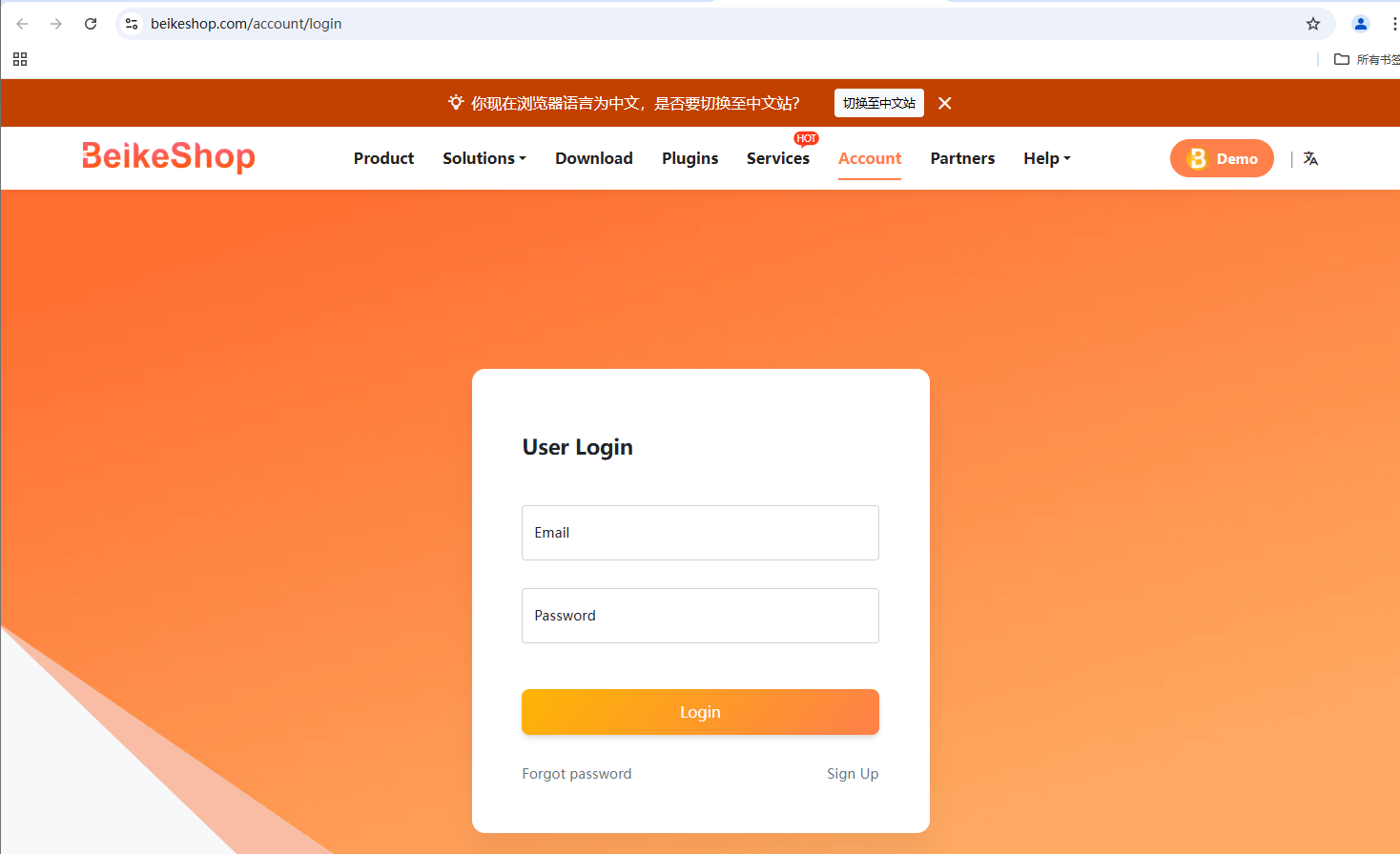
After clicking "Get Token", you will be redirected to the official login page at https://beikeshop.com/account (opens new window). Log in directly if you already have an account; if not, register a new one.
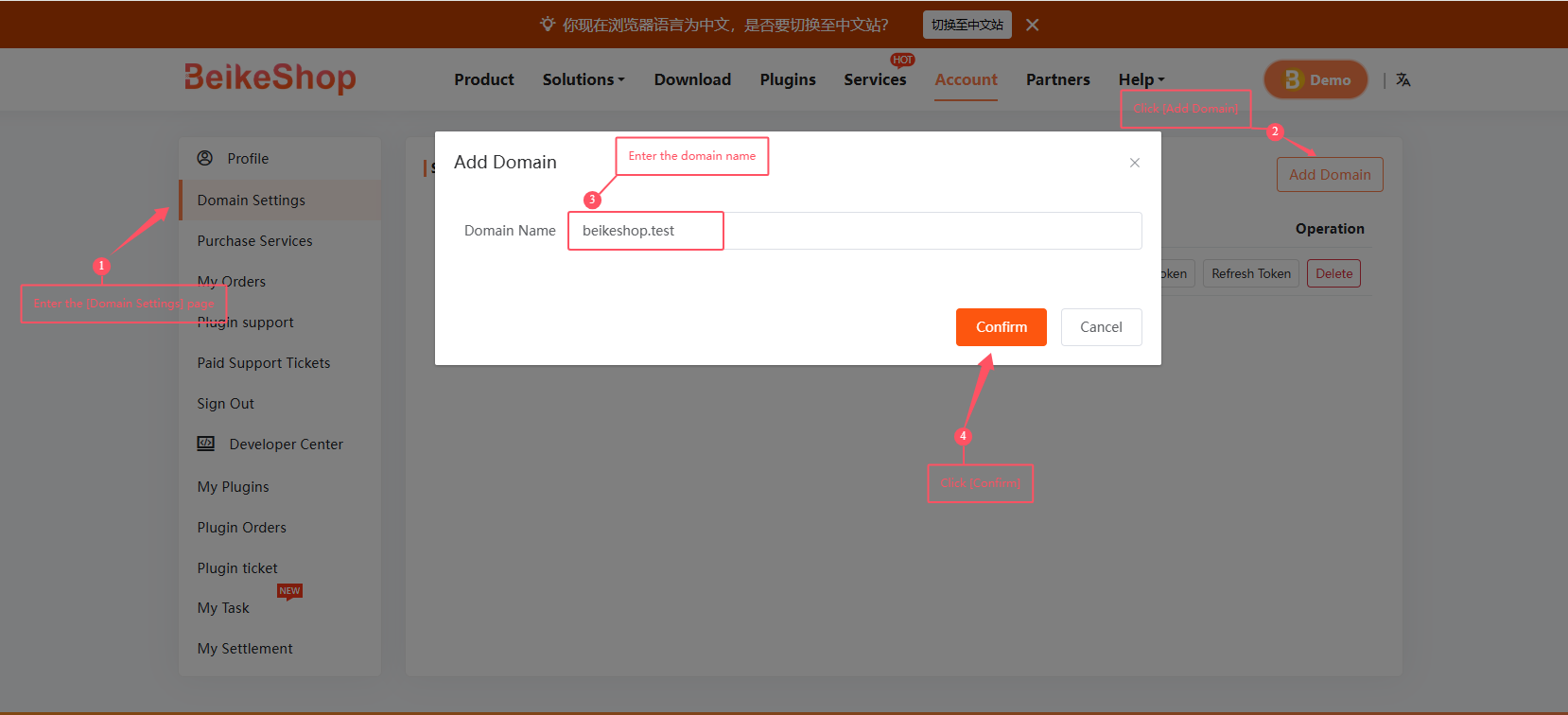
Once logged into the User Center, click Domain Settings to go to the inner page. Click Add Domain in the upper right corner, enter your website domain name, and click Confirm to save it.
After saving, several buttons will appear. Click Token. If you have already bound a domain, you can click Token directly.
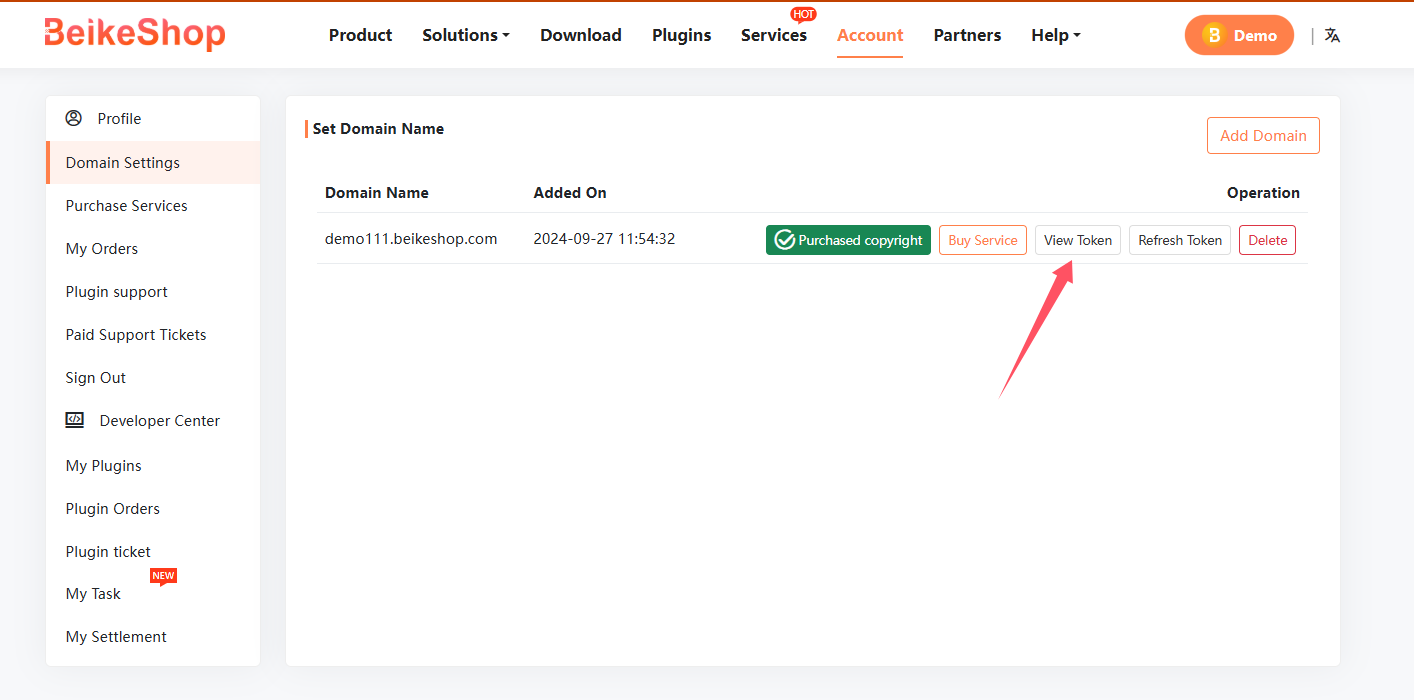
Copy the Token and paste it into the backend of your website.
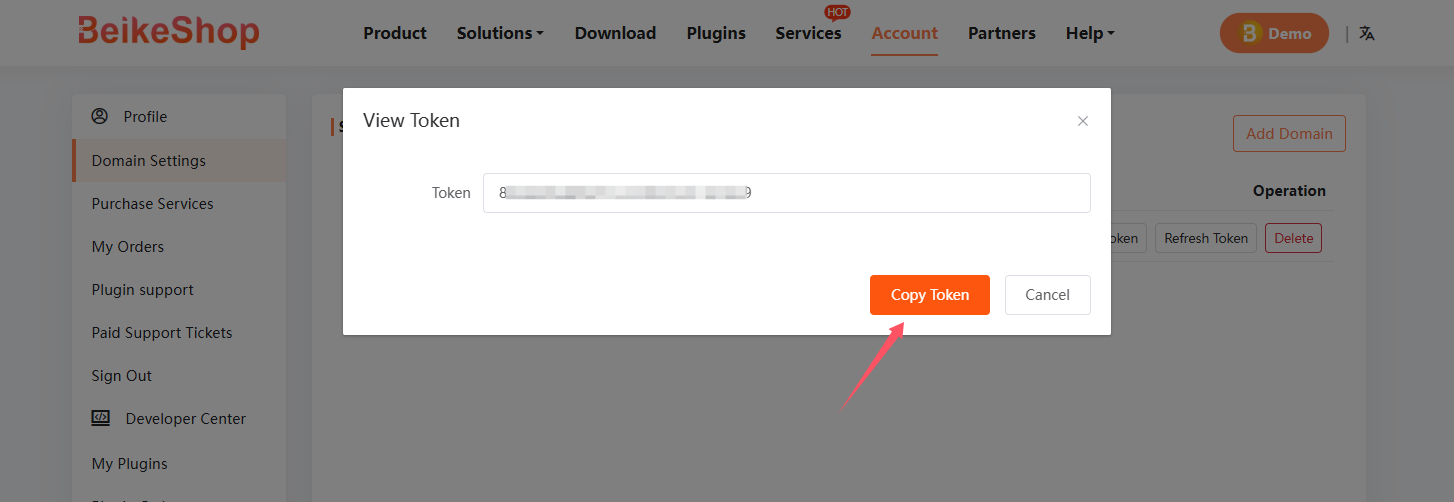
Click Confirm to complete the process.
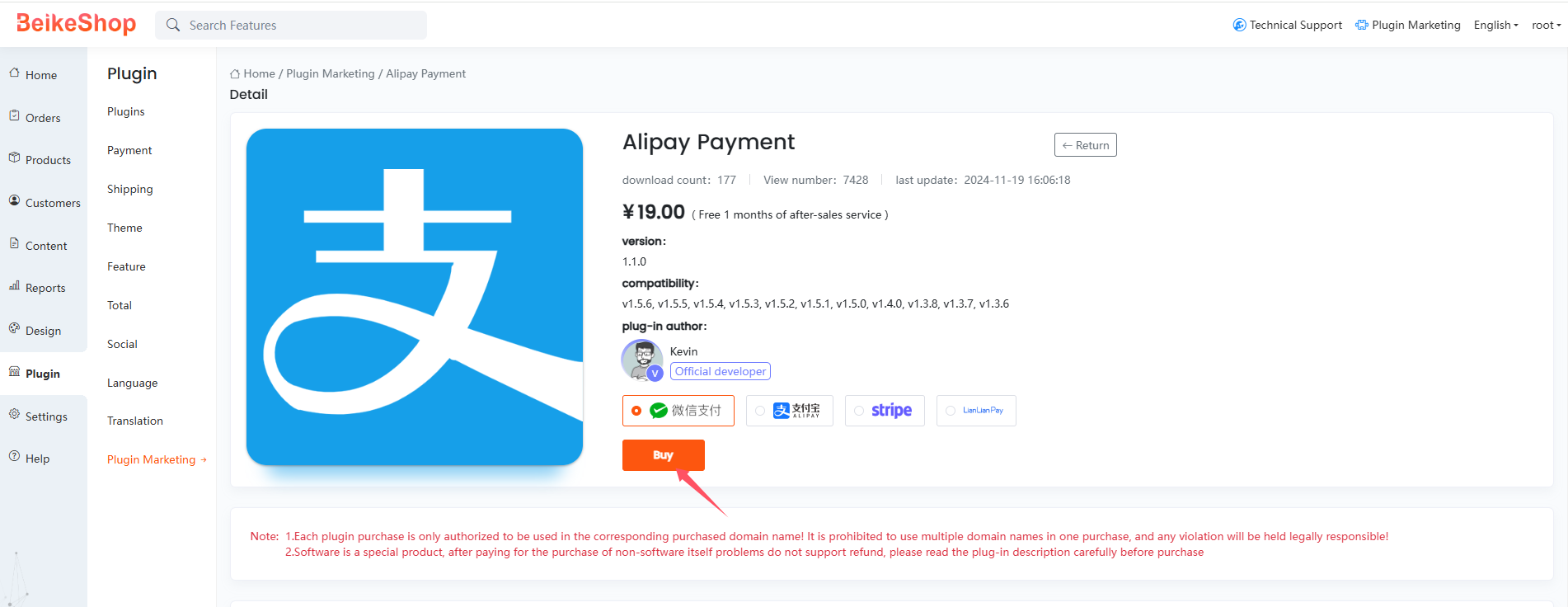
After the setup is done, click on the required plugin to enter its inner page, select a payment method, and proceed with the purchase.
Notes:
- The plugin purchased with a Market Token will only be available for the domain name that the token is bound to.
- Plugins can only be used on the domain name for which they were purchased.
- If you change your website's domain name, you will need to replace the Market Token with one that corresponds to the new domain name.