# Developer-Related
1. What are the requirements to become a developer?
Answer: You need to be proficient in PHP and have a good understanding of the Laravel framework.
2. How to become a developer?
(1) Register a BeikeShop account https://beikeshop.com/account/login (opens new window)
(2) Click "Apply to Become a Developer"
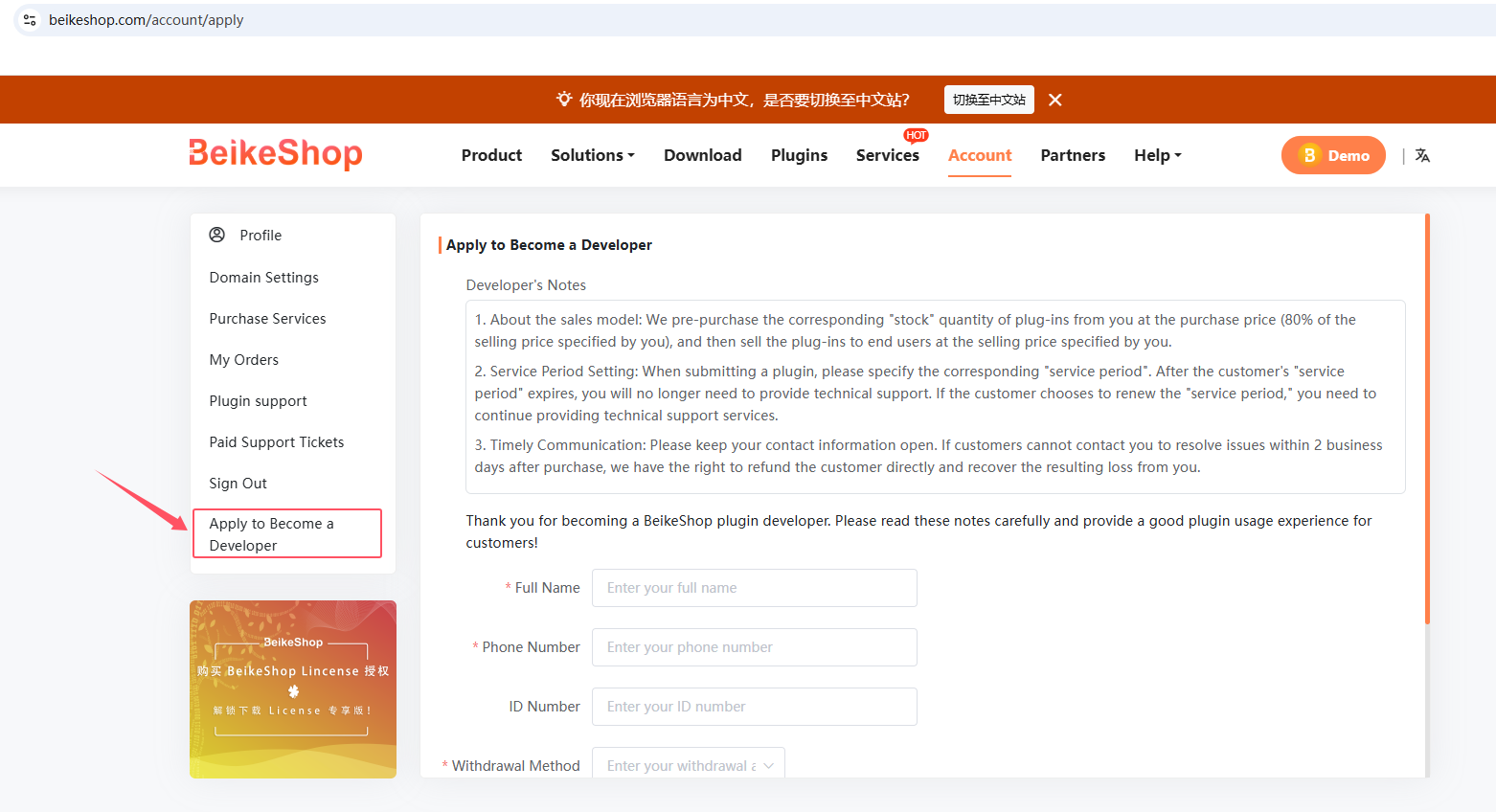
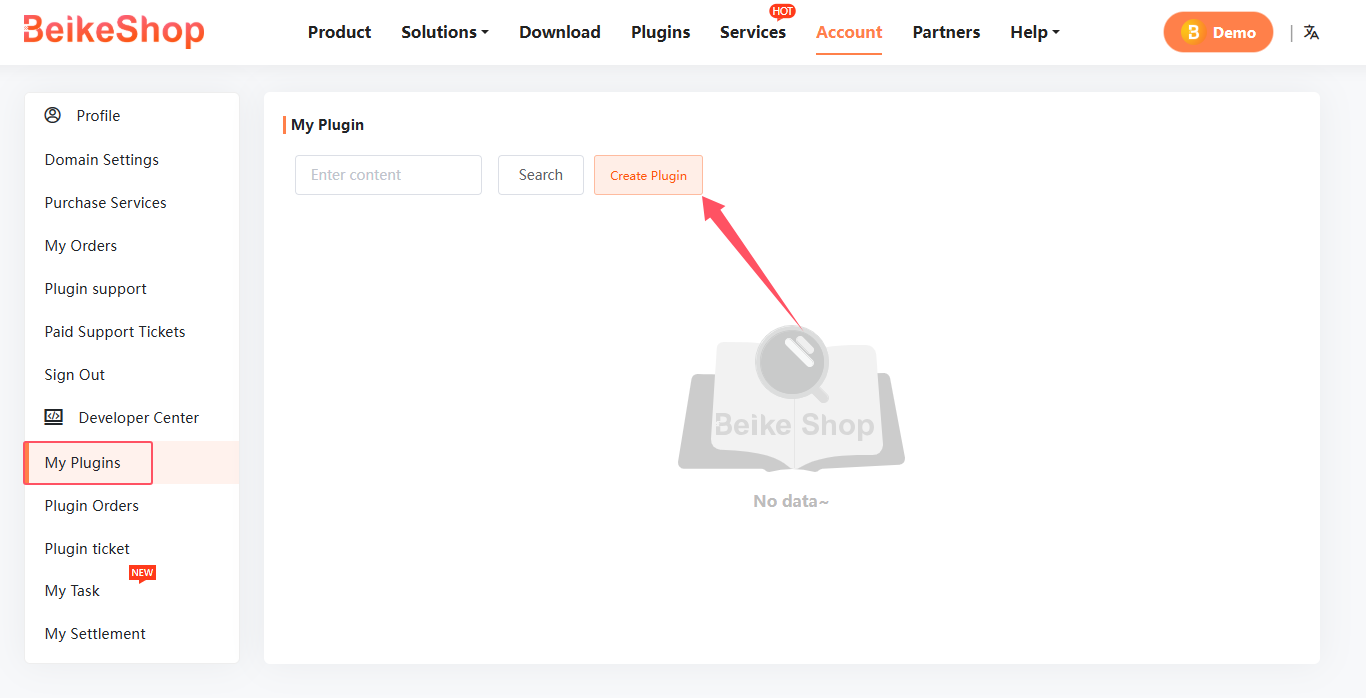
(3) After your application is approved, the "Developer Center" will appear in the user dashboard

(4) Once you're a developer, you can start uploading your plugins in "My Plugins"!
3. What is the revenue share for plugins I develop?
Answer: Developers receive 80% of the plugin sales revenue. For example, if a plugin is sold for ¥100, the developer earns ¥80 per sale.
4. Error When Uploading Plugin Configuration as a Developer:This plugin is not authorized. Please purchase it in the plugin market.
Answer: The plugin code must be unique and cannot duplicate an existing plugin on the marketplace. Please modify your plugin's code.
5. How can I deploy the same project on multiple computers without facing environment issues each time?
Answer: It is recommended to use Docker for consistent development environments.
6. How do I enable debug mode?
Answer: Beikeshop 2.0 version has made debug (debug mode) a background configuration, which can be enabled in 【 System Settings - Basic Settings 】
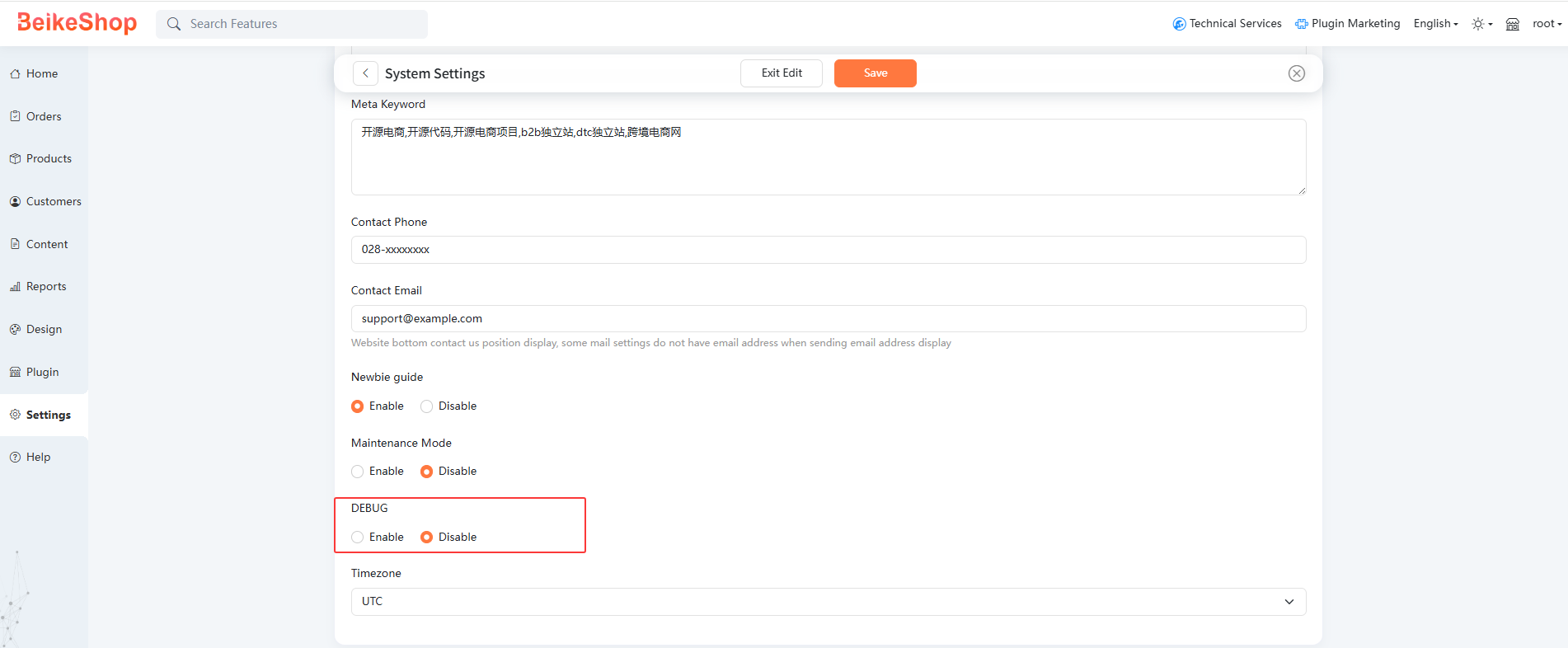
Before Beikeshop 2.0, set APP_deBUG=true in the. env file in the website root directory
Note: In the. env file in the website root directory of Beikeshop 2.0, if APP_deBUG=true or false is set, the one in the file shall prevail. The configuration priority of the. env file is higher than that of the background configuration
# Developer FAQ
# Controller Parameter Type Mismatch (Type Hint Fix)
- Error Message:
OrderController::show(): Argument #2 ($number) must be of type int, string given. - Analysis: Since the
numberfield of theorderstable is defined asVARCHAR(191), and order numbers usually contain non-numeric characters, theinttype declaration in the controller will cause a type conflict. - Recommended Fix: Modify the
showmethod of theOrderControllerto change the type declaration of the$numberparameter frominttostring.
# Product Specification Limits
Important Warning: It is recommended to limit the maximum number of multi-specification combinations for a single product to 120. An excessive number of specifications will cause the detail page to render slowly, increase loading times, and may trigger server limitations due to the large amount of data upon submission, resulting in data truncation.