# BeikeShop 2.0 Upgrade Notes
To ensure the security and performance of BeikeShop, the core framework has been upgraded as follows:
- Laravel: 10 → 12
- PHP: 8.2 → 8.4
Plugin developers need to adapt and verify their existing plugins to ensure compatibility with Laravel 12 and PHP 8.4.
# Potential Impact Areas
- Laravel Internal APIs
- Some methods in Laravel 12 have been changed or deprecated (e.g., routing, service container, events, Eloquent).
- If your plugin directly calls
Illuminate/*classes, please check compatibility.
- Dependency Management
- If your plugin's
composer.jsonhas version constraints forilluminate/*orphp, please update them:
"require": {
"php": "^8.4",
...
}
- Run
composer updateto resolve dependency conflicts. - Ensure the version declarations in
composer.jsonare correct.
- PHP Syntax and Functions
- PHP 8.4 introduces new features (enhanced readonly properties, strict type checking, etc.).
- Some functions/syntax are deprecated in 8.4; please avoid using them.
- Blade & Middleware
- Check the Blade component registration method and
loadViewComponentsAsrelated logic. - Middleware signature and request/response handling may have minor changes in higher versions. ---
# Reference Documentation (Official Upgrade Guides)
- Laravel 12 Upgrade Guide
- PHP 8.4 Migration Guide (Migrating from PHP 8.3.x to PHP 8.4.x)
- PHP 8.4 Release Announcement
# BeikeShop Changes (Plugin Compatibility Required)
In BeikeShop 2.0, the backend UI and system settings have undergone significant changes. Plugin developers should pay attention to the following points to ensure plugin compatibility.
# Backend List View
Changes:
The "Edit" button on the far right has been removed.
Now, the entire row is clickable; a click event to open the details page is bound to the
<tr>element.Impact:
If a plugin uses a hook to add a button to the list page, it needs to prevent event bubbling, otherwise clicking the button will trigger the entire row click event.
Solution:
In Vue:
<button @click.stop>Button Text</button>
In HTML:
<button onclick="event.stopPropagation();">Button Text</button>
# Backend Form
Changes:
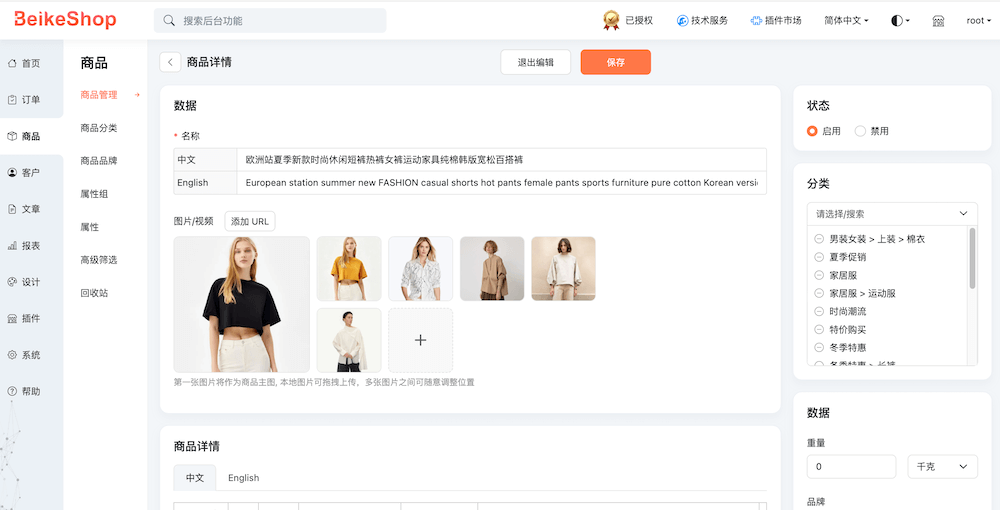
All forms are now in flat card layout style.
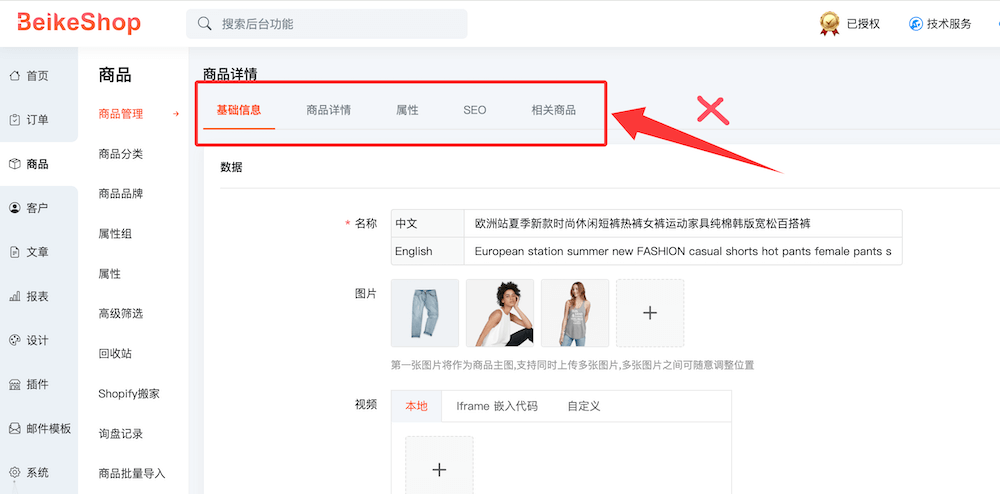
The previous tabbed interface has been removed, and the corresponding tab-related hooks have also been removed.
Impact:
Plugins that depend on the old tab hooks need to be adapted to the new flat card layout or hooks.
Please download and refer to the latest 2.0 code structure to choose the appropriate hook for integration. - Example Comparison
Before 2.0: Tabbed interface
After 2.0: Card-style layout
# System Settings
Changes
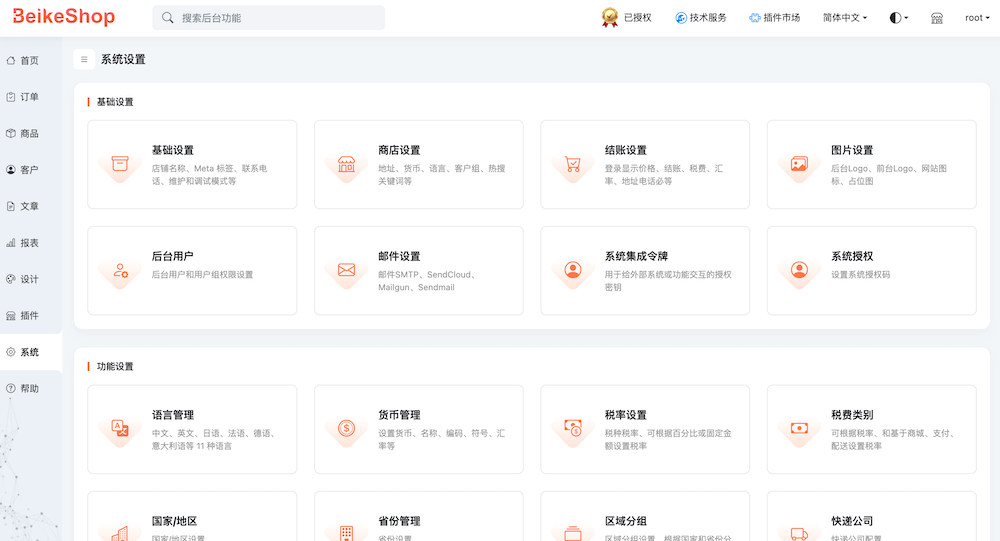
The 6 tabs in the original system settings (
admin/settings) have been split into 6 separate pages.Impact
If a plugin extended the system settings tabs, the extension point needs to be adjusted to support separate pages (or register extensions on the corresponding pages).
Example Comparison
Before 2.0: System settings tab mode

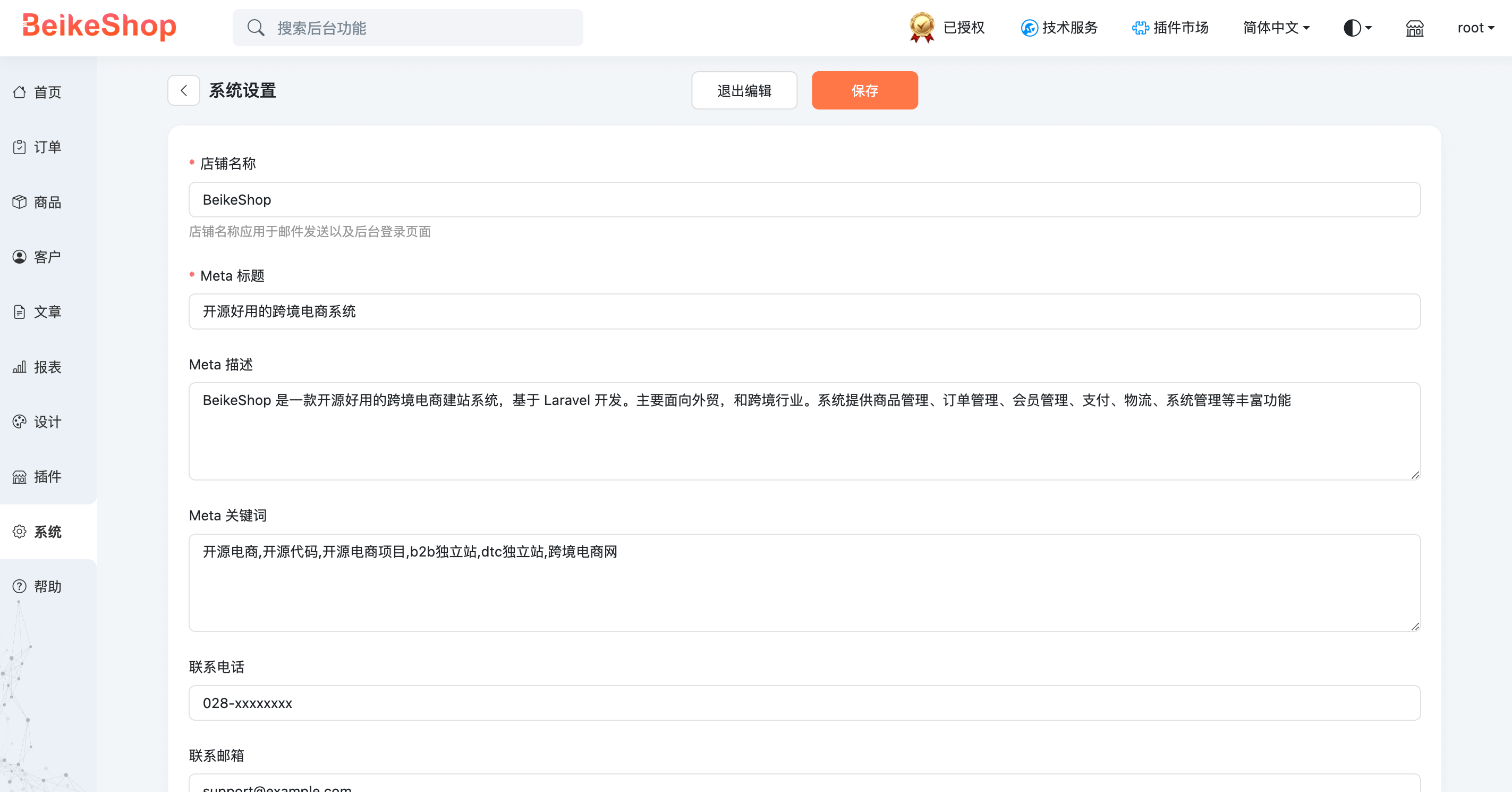
After 2.0: Separate system settings pages
- Example: Clicking "Basic Settings" will lead to a detail page containing only basic settings.
# Version Compatibility
Plugins need to be compatible with both version 2.0 and earlier versions. You can differentiate them by version number:
In PHP:
if (version_compare(config('beike.version'), '2.0') >= 0) {
// Code for 2.0 and later
} else {
// Code for before 2.0
}
In Blade:
@if (version_compare(config('beike.version'), '2.0') >= 0)
{{-- Code for 2.0 and later --}}
@else
{{-- Code for before 2.0 --}}
@endif
# Reminder
- It is recommended to test and verify in a local development environment with Laravel 12 + PHP 8.4.